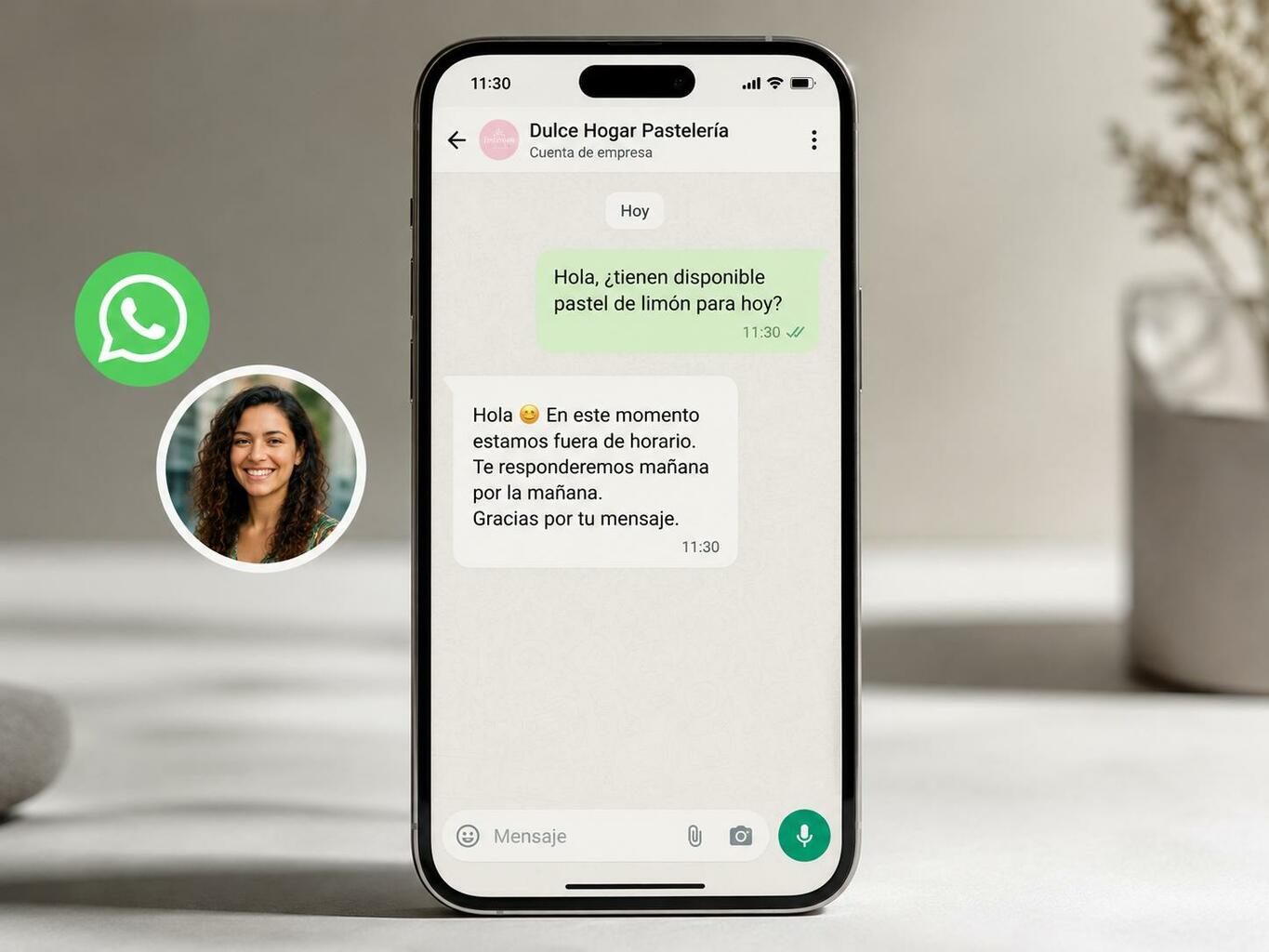
An automated message is a reply that goes out the moment someone writes to your business, before any person reads it. It is the cheapest customer-service improvement available to a small company, and the most commonly set up badly.
This is not a feature for large corporations. WhatsApp Business is free, Meta has reported more than 200 million monthly users of it, and the setup takes about ten minutes. What takes longer is deciding what the messages should say.
What follows covers the two native message types, how they differ from quick replies, when the API becomes necessary, and templates you can adapt for welcome, away, order tracking, FAQs and abandoned carts.
By the end you should have a structure rather than a collection of phrases, which is the difference between automation that helps and automation that annoys people. Even so, the wording of each message decides whether anyone replies.
What automated messages are, and why they matter
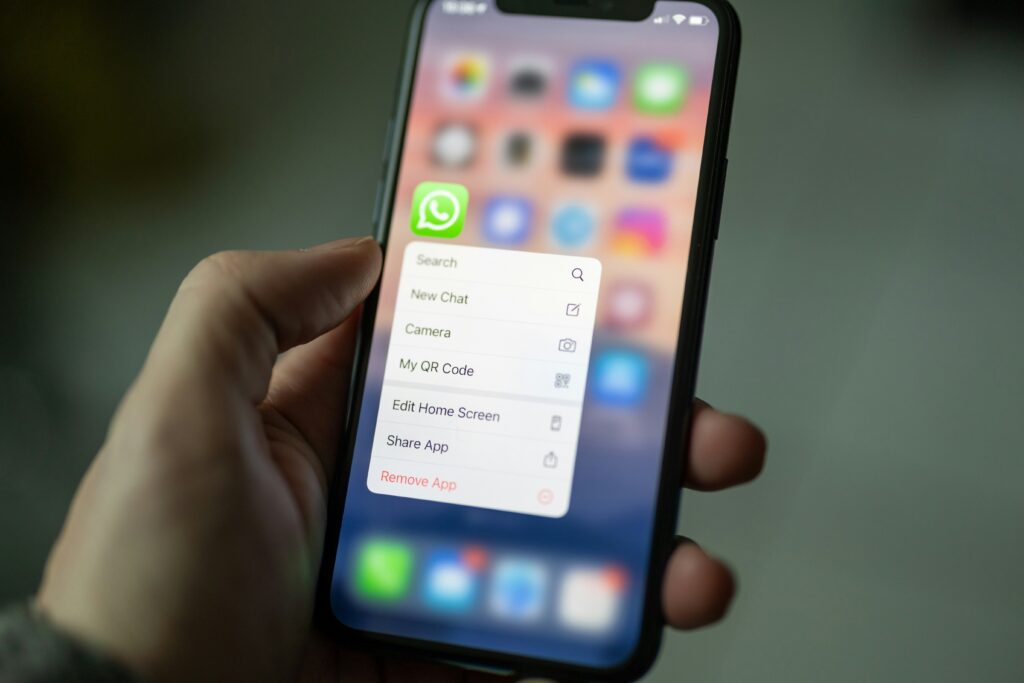
Automated messages are pre-written replies sent automatically when someone contacts you. The feature is native to WhatsApp Business, the free version of the app built for companies, and it is configured once rather than per conversation.
One thing catches people out: none of this exists in the personal WhatsApp app. If you try to find these settings in a personal account you will not, and the number you want to use may already be tied to one. That migration is worth sorting out before anything else.
The reason speed matters this much is the channel itself. Messaging carries an expectation of immediacy that email never had, and a contact who waits an hour on WhatsApp reads that silence as indifference rather than as a queue. An automated reply does not solve the problem; it buys the time to solve it.
There is a commercial effect as well. A prospect who writes and gets an instant acknowledgement stays in the conversation long enough for someone to answer properly. The ones who get nothing frequently go and ask a competitor the same question.
Three message types cover almost everything:
- Welcome message: sent to a new contact, or to one who has not written in a while. Sets the tone and the expectation.
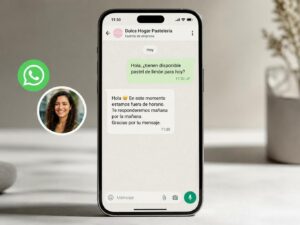
- Away message: tells people you are closed and when you will be back, which is the single most useful thing you can automate.
- Quick replies: not automated at all, but worth understanding alongside them. Saved phrases your team inserts by hand.
Messaging has become the channel most people prefer for contacting a business, which means the automation decision is no longer optional, only the quality of it is. None of it needs complicated tools: it needs a plan for what the messages say.
What you actually get from them
Three effects show up consistently in businesses that set these up properly, and they are worth separating because they justify different amounts of effort.
A faster first reply
The first reply is the one that decides whether the conversation continues. Messages on WhatsApp get read quickly, usually within minutes, which cuts both ways: your contact expects the same speed from you. An instant acknowledgement that sets a realistic expectation outperforms a thoughtful reply that arrives three hours later, and it costs nothing per conversation.
Fewer repeat questions reaching people
A significant share of incoming messages are the same five questions. Opening hours, whether you deliver, where an order is, whether you take a particular payment method. Routing those to an automated reply with the answer, or with a link to it, is where the time saving actually comes from.
One voice instead of five
When several people answer the same number, each brings their own tone, and customers notice the inconsistency before they notice anything else. A welcome message fixes the first impression regardless of who picks up the conversation afterwards. For a small team this is often the main benefit, not the time saved.
A well-written automated reply can also be warm, which matters more than it sounds. A genuine thank-you and a clear statement of what happens next humanize the exchange before a person arrives, and that frees up hours for the work that actually needs judgment.
How to set them up in WhatsApp Business
The setup is straightforward once you know where the settings live, which is the part the app does not make obvious.
Creating the account and choosing a number
Install WhatsApp Business and register it to a number that is not already on a personal WhatsApp account. Using your own number is the most common mistake, and undoing it later means moving the account or losing the history.
Once registered, open the business tools menu, marked with a storefront icon. Everything in this article lives under the messaging section there.
The welcome message
Turn on the welcome message and write what new contacts should receive. It also goes to anyone who has not written to you in more than fourteen days, which is worth knowing: a returning customer may get a first-time greeting if you word it carelessly.
You can choose the recipients: everyone, a selected list, or everyone except specific numbers. The exclusion option is the useful one, for regulars who do not need introducing to you.
The away message and custom hours
The away message is where you set business hours, and it offers three modes:
- Always send, which turns it into a permanent acknowledgement.
- Send outside the business hours already published on your profile.
- A custom schedule with a start and end date, which is what holidays and closures are for.
The custom schedule is the one businesses forget exists and then regret in December. Set it before the break rather than from the beach.
Automated messages versus quick replies
These get confused constantly. Quick replies are saved phrases a person inserts into a chat with a shortcut; they save typing and require someone to be there. Automated messages send themselves with nobody present. Both are useful and they solve different problems.
Include your company name in every automated message. It confirms to the contact that they reached the right number, which sounds trivial until you consider how many businesses share a first name with somebody else’s.
Going further with the WhatsApp Business API
The API is what you move to when the app stops being enough. It allows campaigns, call-to-action buttons, and messages personalized with real customer data rather than generic text, which the basic app cannot do.
The catch is that the API has no interface of its own. You reach it through a CRM or a marketing platform, so the decision is really about which platform rather than about the API itself.
What the API adds
Message bodies can run to 1,024 characters, with formatting and buttons, and they can be sent to many contacts at once through approved templates rather than one conversation at a time. That last point is the real difference: the basic app has no legitimate way to message a list.
It also allows segmentation, so the message someone receives reflects what they bought or asked about. That is the step that separates automation people find useful from automation they mute, and it is the same logic behind sequences triggered by what someone did.
Connecting it to a CRM or marketing platform
Platforms such as Brevo and ActiveCampaign both offer WhatsApp campaigns from their own dashboards, usually with a trial period and a monthly cost per conversation volume. Check the current pricing directly, because it changes and it is quoted per message in some plans and per conversation in others, which are very different numbers.
If email marketing is already running somewhere, adding WhatsApp to that platform rather than buying a separate tool is usually the better call. One sequence that chooses the channel beats two sequences that do not know about each other.
Building triggered sequences
This is where the API earns its cost. Define the trigger — a first message, an abandoned cart, an order shipped — and chain what follows. The sequence can branch on whether the person replied, which is something no amount of manual work scales to.
For any business handling real conversation volume, the API becomes necessary for a practical reason: the basic app is built around one person with one phone. It supports linked devices, but not separate inboxes, assignment between agents, or any record of who answered what.
| Capability | WhatsApp Business API | Basic app |
|---|---|---|
| Interface | Needs an external CRM | Has its own |
| Personalized fields | Yes, with variables | No |
| Call-to-action buttons | Yes | No |
| Message length | Up to 1,024 characters | Shorter, plain text |
| Team use | Multiple agents, assignment | One inbox |
Automated message templates for welcoming new contacts
The welcome message is read by more people than anything else you write, and most businesses spend less time on it than on a single social post. These are templates to adapt rather than copy.
Welcome templates
For a business where someone will reply properly later:
“Thanks for writing to [company]. This is our customer service line, and someone will read your message within [X] hours. Send as much detail as you can and we will come back with an answer rather than a follow-up question.”
For a first-time contact where you want to qualify the enquiry:
“Hi, thanks for contacting [company]. To get you to the right person faster: are you asking about an existing order, a product question, or something else? Reply with whichever fits and we will take it from there.”
What a welcome message needs to contain
Four things, and nothing else. A greeting that sounds like a person wrote it. Your company name, so the contact knows they reached the right number. A realistic statement of when they will hear back. And one useful link, usually to a help page or your hours.
One addition worth testing: a discount code in the welcome message turns an acknowledgement into a sales tool, and it costs nothing if the margin allows it. What does not work is cramming everything in. A welcome message that needs scrolling has already failed.
Segment these if you can. Sending a first-time introduction to a customer who has bought from you four times reads as though you do not know who they are, which is worse than sending nothing.
| Element | Why it is there |
|---|---|
| Greeting | Sets a tone a person would recognize. |
| Company name | Confirms they reached the right number. |
| Response time | Replaces anxiety with an expectation. |
| One useful link | Lets some people answer their own question. |
| Optional incentive | Turns an acknowledgement into a first sale. |
Away message templates
The away message does more work than the welcome one, because it is the one that prevents the specific frustration of writing into a void at nine in the evening.
Hours, holidays and closures
An away message should answer more than “we are closed”. The pattern that works is hours, then the questions people ask most, then one link:
“Thanks for writing to [company]. We read messages Monday to Friday, [hours], and Saturday [hours]. We are closed [specific dates]. Most questions about [delivery times / returns / availability] are answered here: [link]. Anything else and we will reply when we open.”
That version works because it resolves part of the enquiry while nobody is there. A message that only states the hours sends the person away still needing the answer, which means they write again on Monday and somebody still has to handle it.
Being clear about gaps in coverage
Include an alternative contact for genuine emergencies: a phone number or an email that someone checks. If you are closed for a week, saying so and giving a route for the one thing that cannot wait costs nothing and prevents the complaint.
Be specific about disruptions, whether that is a technical problem, a move, or a backlog. If you promise twenty-four hours, meet it. If you will not read anything until Monday, say Monday. People adjust to an honest answer and resent a vague one, and “as soon as possible” is read as never.
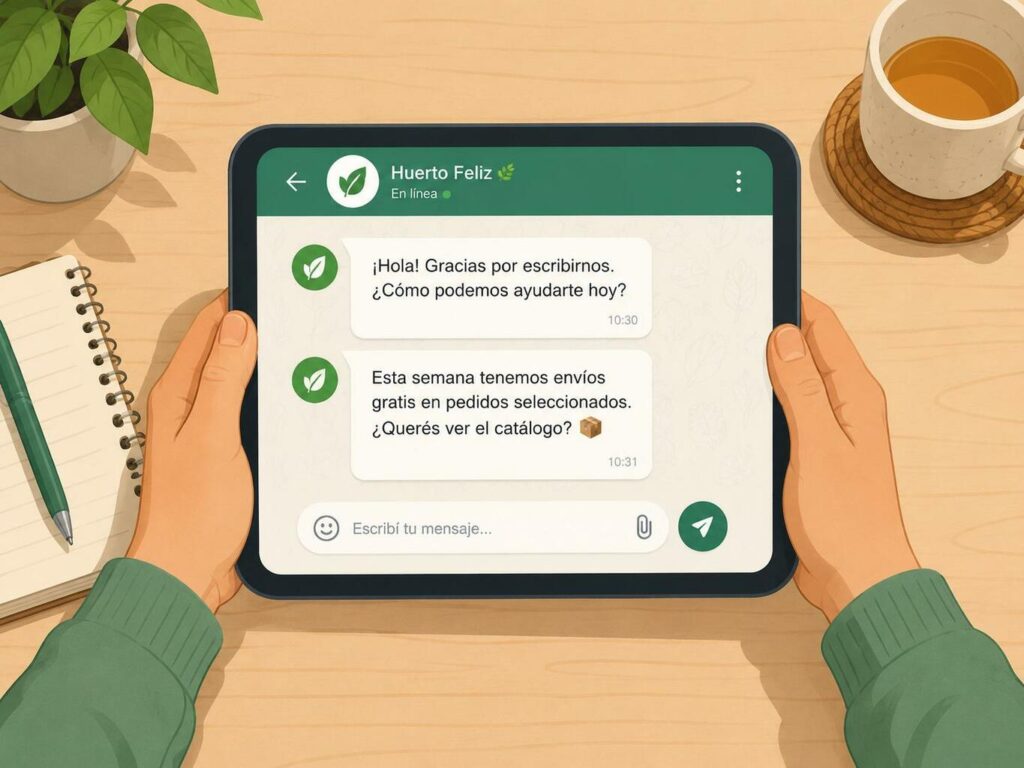
Seasonal and promotional messages
Dates on the calendar are an opportunity, but only if the message does something beyond swapping in a festive greeting. The ones that work acknowledge the moment the customer is actually in and offer something concrete.
For the end of year, the honest version works best: volume is high, replies will be slower, and here is a code as thanks for the patience. That turns an apology into a reason to buy.
For a sales period, the logic inverts. A code available only to people who write on this channel makes the channel feel worth using, which is the thing you actually want to build.
For smaller occasions, a warmer tone and an offer aimed at first-time contacts is often what moves someone who has been hesitating for a fortnight.
The structure that stops these reading as opportunism: a greeting that fits the date, an honest note about slower replies if that is true, and one real benefit. The moment the message is only a discount with a holiday attached, people stop opening them.
Templates for seasonal periods
For a busy period: “Happy holidays, and thanks for writing to [company]. We are busier than usual right now, so replies are taking about [X]. Your message is in the queue and we will get to it.”
For a sales event: “Thanks for writing during [sale]. Anyone who contacts us here gets [X]% on top of the sale price with the code [CODE], valid until [date]. Ask us anything and we will reply as soon as we can.”
Using promotional codes without eroding the channel
A code in an automated message converts attention you already have, which makes it cheaper than almost anything else you can run. For example: “Thanks for getting in touch with [company]. Use [CODE] for [X]% off anything on the site, no minimum.”
The limit is worth respecting. If every automated message carries an offer, the offers stop meaning anything and the channel starts feeling like advertising. Keep most of them informational and save the codes for moments that justify them.
| Occasion | What the message does | Offer |
|---|---|---|
| End of year | Admits slower replies and thanks people for waiting | Code as compensation |
| Sales period | Makes the channel itself worth using | Code exclusive to WhatsApp |
| Smaller occasions | Warmer tone aimed at first contacts | First-purchase discount |
Order tracking and post-sale messages
Once someone has paid, their main question is where the order is, and they will ask repeatedly until they know. Automating that answer removes the highest-volume, lowest-value conversation a business has.
It helps both sides. The customer gets an answer without waiting for someone to look it up, and the team stops being interrupted for information that already exists in the system.
Confirmation, dispatch and delivery
Three messages cover the whole cycle:
- Status enquiry: “Thanks for writing. If this is about an order, send us the order number and we will check it straight away.”
- Dispatch: “Your order has shipped. You can follow it here: [link]. If anything looks wrong, reply and we will sort it out.”
- Out for delivery: “Hi [name], order #[number] is out for delivery today. Track it here: [link].”
Asking for feedback without being ignored
A post-purchase message asking what the customer thought is the difference between one sale and a second. It also surfaces problems while they are still fixable, which is worth more than the review.
One that gets answers: “Hi [name], how did [product] work out? If anything was not right, tell us and we will fix it. If it was good, we would appreciate knowing why.” Asking a specific question gets a reply; asking for “feedback” does not.
A small incentive raises the response rate, though it also biases what you hear. If the point is a public review, offer something; if the point is finding out what is broken, do not, because you want the unhappy answers.
Keep the status notifications going through the whole cycle rather than only at dispatch. The gap between “shipped” and “arrived” is where most of the anxious messages come from. Where messaging fits among the other social channels is worth settling first.
| Message | Template |
|---|---|
| Status enquiry | “If this is about an order, send us the order number and we will check it straight away.” |
| Dispatch | “Your order has shipped. You can follow it here: [link].” |
| Out for delivery | “Order #[number] is out for delivery today. Track it here: [link].” |
| Feedback | “How did [product] work out? If anything was not right, tell us and we will fix it.” |
Handling frequently asked questions
A handful of questions make up most of what arrives, and they consume time that is worth more elsewhere. An automated first reply can act as a filter that answers some of them outright.
The aim is not to replace people with a robot. It is to give an immediate, useful answer while the real one is coming, and occasionally to resolve the question entirely so nobody has to.
Templates that invite the contact to say what they need:
- “Thanks for writing to [company]. So we can help faster: is this about an order, a product, or something else?”
- “If you are asking about returns or exchanges, the full policy is here: [link]. If your question is not covered there, reply and we will answer it.”
- “Thanks for your message. While you wait, our help centre covers most common questions: [link].”
- “Hi [name], if this is about delivery timing for order #[number], send the number and we will check where it is.”
Linking to a help page works better than people expect. A good share of customers would rather find the answer themselves than wait, provided the path is obvious. The link also reduces how many of these reach a person at all.
Pairing the two features creates a two-layer system: the automated message greets and sorts, and quick replies let whoever picks it up answer the common cases without retyping. Neither alone does the job.
Tone decides whether this helps or irritates. A real thank-you, the person’s name when you have it, and a clear statement that the message has not vanished. Automated and impersonal are not the same thing, and the difference is entirely in the writing.
Abandoned carts and recovery messages
Cart recovery is where these messages pay for themselves most directly, because the person already chose the product and stopped somewhere between that and paying.
The channel advantage over email is timing. Messages get read in minutes rather than hours, which means you can reach someone while the intention is still live rather than the next morning when it is not.
Templates that bring people back
A reminder alone rarely works. The message needs a reason to return, and the reason has to be specific:
- Plain reminder: “Hi [name], the items in your cart are still available if you want to finish up: [link].”
- With an incentive: “Hi [name], you left [product] in your cart. Here is [X]% off if you complete it today: [code].”
- Scarcity, only when true: “Hi [name], [product] in your cart is low on stock. If you want it, now is the moment: [link].”
- Removing the friction: “Hi [name], free delivery on your cart if you come back today with [code].”
Timing and tone
Personalization matters here more than anywhere else: the person’s name and the specific product. A generic “you left something” reads as a system talking, and systems are easy to ignore.
Timing is the variable worth testing. Too soon reads as surveillance, too late and they have bought elsewhere or forgotten. Somewhere within a few hours is the usual answer, and your own data will beat any published benchmark. Keep the tone free of reproach, make one clear link to checkout, and accept that most people will not come back. The ones who do cost almost nothing to recover, which is the whole argument.
Getting this right rather than just switched on
The difference between automation that works and automation people mute comes down to four habits.
Know who you are writing to
Segment before you write. A returning customer and a stranger need different first messages, and sending the same one to both means it is wrong for at least one of them. Even two versions is a large improvement over one.
Make every message carry something
Personalization is not the name field. Each message should contain something the person can use: an answer, a link, a time, a next step. A message that only announces that a message has been received is a notification, and notifications get muted.
Say that it is automated
Tell people these are automated replies and give them a way out, usually a word like STOP for anything promotional. Beyond being required in many places, it builds the trust that keeps the channel usable. Nobody resents an automated message that admits what it is.
Respect the hours and keep it two-way
Do not send promotional messages early in the morning or late at night. WhatsApp sits on the same screen as family conversations, and a marketing message at eleven at night is read as an intrusion in a way an email never is. And leave the conversation open: invite a reply, and make sure a reply reaches someone.
Where automated messages fit in the wider setup
Treated as a standalone feature, these save some time. Treated as one channel inside a system, they change how a business communicates, which is a different scale of result.
The step up is connecting WhatsApp to the email platform and the CRM, so a message fires as part of a sequence rather than in isolation. A customer who opened two emails and clicked nothing is a different case from one who never opened anything, and only a connected setup can tell the difference.
Conversational AI tools extend this further, answering around the clock and escalating to a person when the question needs one. They are worth considering once volume justifies them, and premature before that, because an AI answering five messages a day is an expensive way to avoid answering five messages a day.
What does not change at any scale is the expectation. People now expect an immediate acknowledgement and a relevant answer, and a business that provides the first without the second has only automated the disappointment.
Frequently asked questions
What is an automated message on WhatsApp?
A pre-written reply sent automatically when someone contacts your business. WhatsApp Business includes two natively: a welcome message for new contacts and an away message for outside business hours.
Why use automated messages in a business?
They give an immediate first reply on a channel where people expect one, filter out the repeat questions that consume most of the time, and keep the tone consistent regardless of who answers next.
What should a welcome message say?
A greeting, your company name, a realistic response time and one useful link. Optionally an incentive. Anything longer than a few lines will not be read.
What templates work for frequent questions?
Templates that ask the contact to say what they need, so the enquiry arrives sorted, paired with a link to a help page that answers the most common questions outright.
What matters most when setting these up?
Segment before writing, give every message something usable, say openly that it is automated and offer a way to opt out, and respect the hours. WhatsApp shares a screen with people’s family conversations.